# Secure Overview
import DocButton from '~/components/webkit/DocButton.vue';
Azion Secure products assist you in protecting your domains, applications, and infrastructure.
*Secure* is an area that works along with the [building process](/en/documentation/products/guides/build/overview/) and integrates itself with observability. When you're building applications, security must be a part of the process from the beginning: they walk hand in hand with one another. Once the building and securing process is configured, you must also constantly [observe](/en/documentation/products/observe/) your applications and implemented security rules to guarantee they're working as expected and that you can make fast decisions and changes to configurations to continue securing them.
---
## Firewall
**Firewall** is a programmable security product that allows you to secure your applications, your domains, and your user's domains.
When a user attempts to access and attack your applications hosted on Azion with any type of attack, Firewall and its modules act as a protection layer before the attack reaches your application and, consequently, the origin.
Firewall is the core to protect your applications and domains but security rules and policies can be enhanced with [modules](/en/documentation/products/guides/secure/firewall-configure-main-settings/#modules): **DDoS Protection**, **Functions**, **Network Shield**, and **Web Application Firewall**. As each of them has specific secure purposes, it's recommended to use all of them so your applications are protected with the entire stack.
An attack attempt will pass through each of Firewall's modules and they'll block the attack according to their purposes and configured rules.
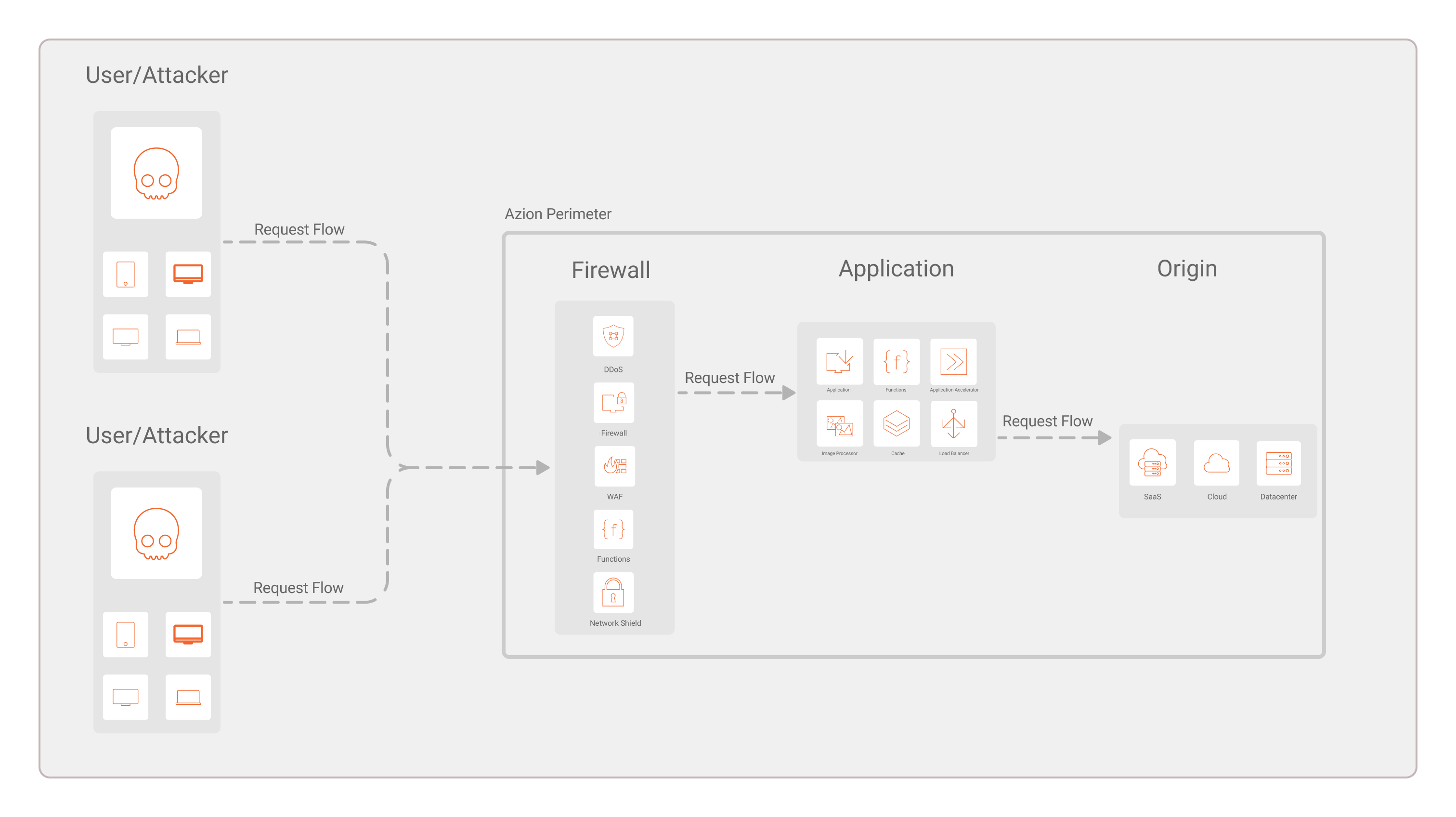
Furthermore, your configurations need to be set as rules on [Rules Engine](/en/documentation/products/secure/firewall/#rules-engine-for-edge-firewall) for them to be implemented and for requests to be properly analyzed, allowed, or blocked.
---
## Edge DNS
**Edge DNS** allows you to host your domains on Azion's distributed infrastructure, providing high performance, availability, and security.
By adding and configuring [records](/en/documentation/products/guides/secure/add-records/), your domain's information is stored securely at Azion's infrastructure and allows you to configure other products to properly handle requests, such as applications and Firewalls.
---